How do I lock and unlock my card?
Keep your card secure by temporarily locking it while not in use. Your card can be locked/unlocked instantly using the Centtrip app.
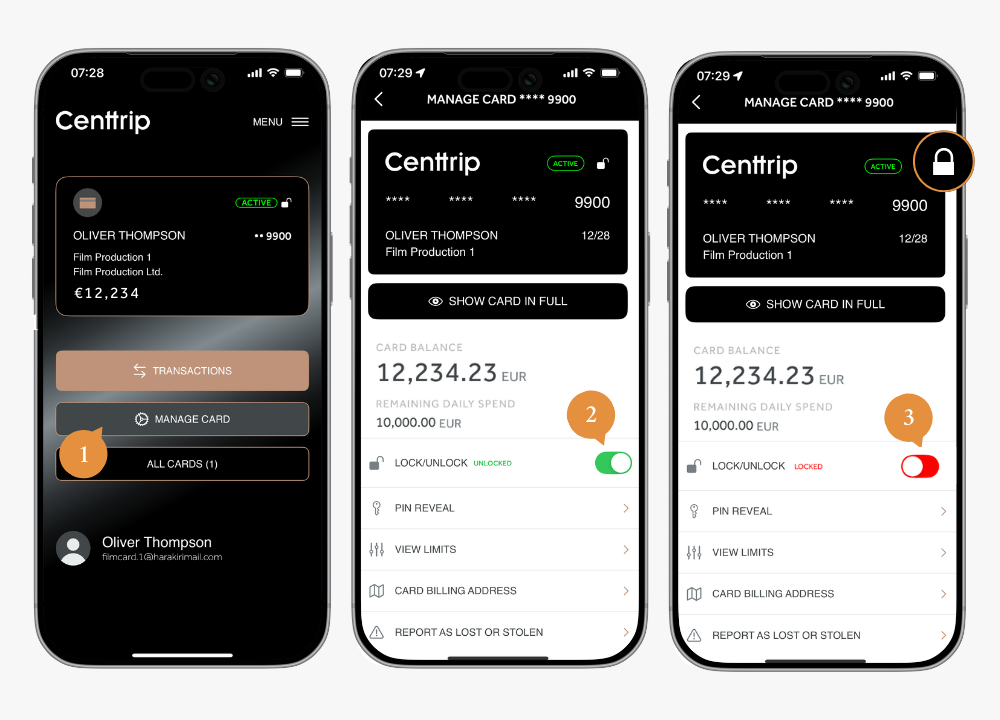
- Open the app and tap on MANAGE CARD.
- Switch the LOCK/UNLOCK toggle to the red 'locked' position to instantly prevent spend.
- Switch the toggle back to the unlocked position to use it again at any time.