How do I view my virtual or physical card details within the app?
- Open the Centtrip app and check the relevant card is showing at the top (see below if not*)
- Press the MANAGE CARD button below it
- Then SHOW CARD IN FULL and verify your identity.
- Tap COPY CARD NUMBER - you can now use this for online payments or to set up Apple/Google Pay.
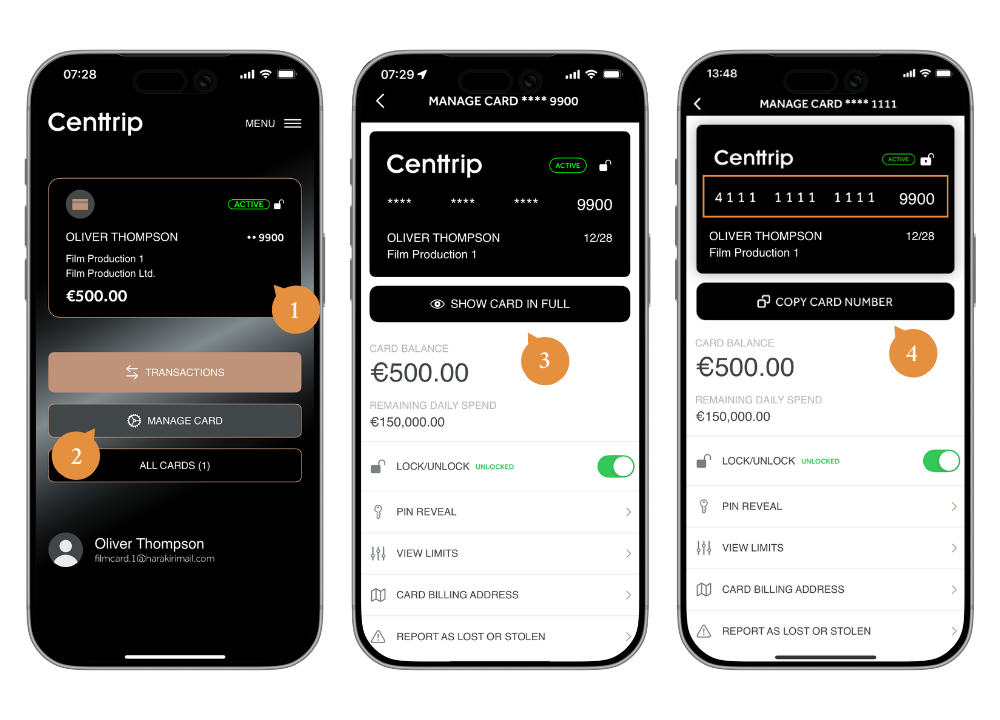
* Need to switch card/account? - press ALL CARDS to switch cards, or select the menu icon and then Switch account