How do I activate a card on behalf of the cardholder?
Users with the permission to manage cards can activate cards on behalf of cardholders within their desktop account. This means the cardholder can simply log into the app, view their PIN and begin using their card immediately.
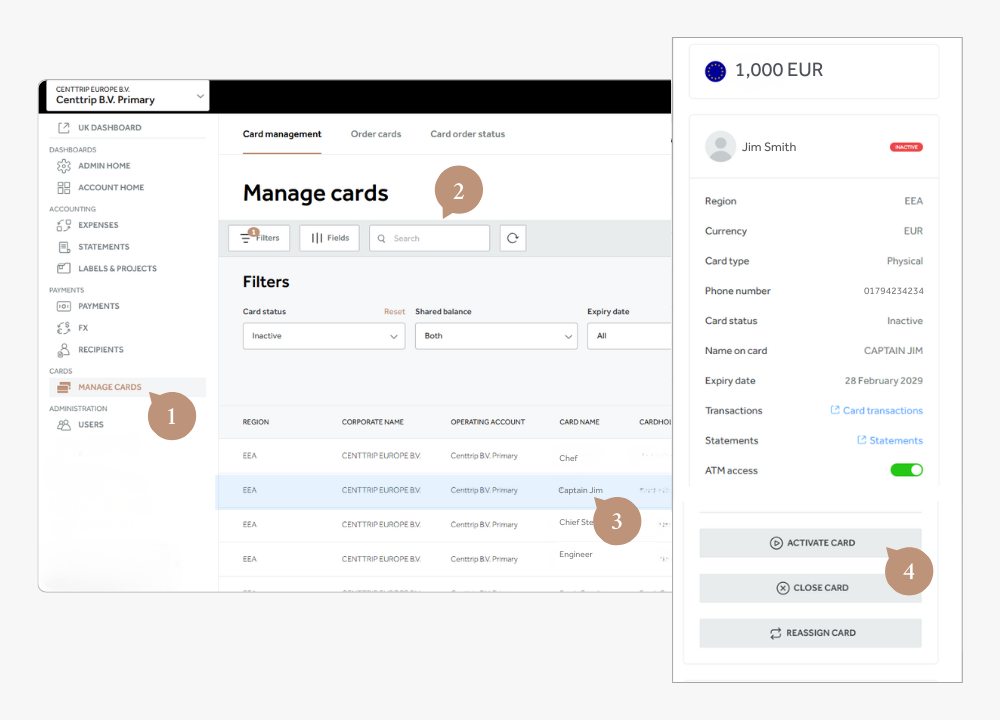
- Sign into your account and visit the Manage Cards screen.
- Search for a particular card or filter on Card Status - Inactive to view all
- Click on the card to open the card details side panel.
- Scroll down and click ACTIVATE CARD.